
Pokie Mate Casino Mobile App

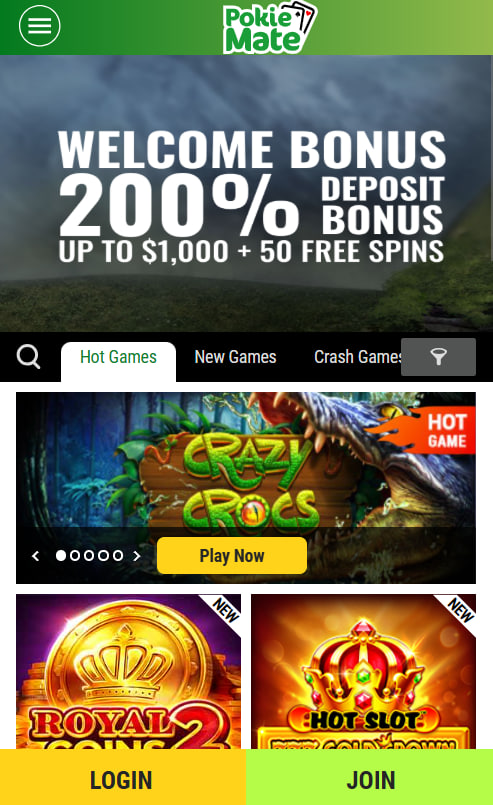
Pokie Mate Casino delivers the full gaming experience on mobile through a responsive HTML5 web platform rather than a traditional downloadable application. The browser-based approach runs natively in iOS Safari and Android Chrome, with the complete game library, cashier, live chat and account dashboard fully available on smaller screens. Players can save the site to the home screen on either operating system to create an app-style icon for one-tap access. This page covers the mobile setup process, device compatibility, available features and performance characteristics so Australian players know exactly what to expect from any modern smartphone or tablet.
Mobile Access — Browser-Based by Design
Rather than maintaining separate native applications for Google Play and the App Store, Pokie Mate Casino runs entirely inside the mobile browser. This design choice removes the need for downloads, takes up zero device storage and ensures every game update reaches players instantly without app store approval cycles. The trade-offs and benefits sit clearly side by side, helping players choose the approach that suits their device best.
| Aspect | HTML5 web platform at Pokie Mate |
|---|---|
| Installation | Not required — site loads instantly in any modern browser |
| Storage space | Zero local storage used on the device |
| Updates | Automatic — newest version loads with every visit |
| Game library access | All 700+ titles available identically to desktop |
| Cashier access | Full deposit and withdrawal functionality |
| Push notifications | Limited to browser-based alerts where enabled |
| Home screen icon | Available through Add to Home Screen on iOS and Android |
Pokie Mate on Android Devices
The platform runs smoothly on Android phones and tablets using Chrome, Samsung Internet or any modern Chromium-based browser. The recommended setup procedure adds an app-style icon to the home screen, giving the platform the look and feel of a native application without requiring any download.
- Open Google Chrome and navigate to the Pokie Mate Casino site
- Tap the three-dot menu in the top-right corner of the browser
- Select Add to Home Screen from the dropdown menu
- Confirm the shortcut name and tap Add
- Launch the saved icon from the home screen for full-screen, app-style access
Once added, the shortcut behaves like a standalone application, opening directly into the lobby without the browser address bar. Tested device families include the Samsung Galaxy S series, Google Pixel 6 and later, and OnePlus phones running Android 10 or above.
Pokie Mate on iPhone and iPad
The platform is fully compatible with iOS Safari on iPhone and iPad. The Add to Home Screen procedure follows Apple's standard Progressive Web App flow, giving the site an app-style icon and full-screen layout. The setup completes in under a minute.
- Open Safari and navigate to the Pokie Mate Casino site
- Tap the Share button in the browser toolbar
- Scroll down and select Add to Home Screen
- Edit the shortcut name if preferred and tap Add in the top-right
- Open the new icon from the home screen for full-screen gameplay
The iOS implementation requires Safari 14 or later. Third-party browsers such as Chrome for iOS also load the platform but do not support the Add to Home Screen shortcut due to Apple's WebKit policies. The recommended approach for iPhone and iPad players is therefore Safari.
Mobile Features and Functionality
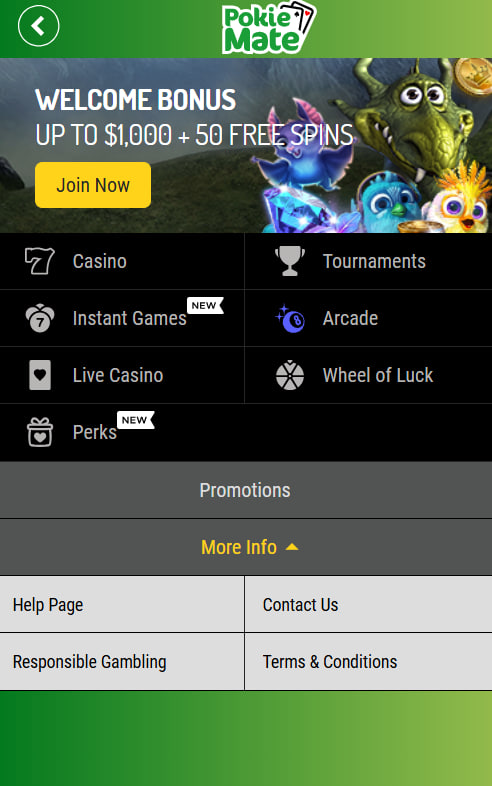
Every core element of the Pokie Mate Casino experience translates directly to mobile screens. The lobby reorganises automatically into a touch-friendly layout, the cashier supports both card and cryptocurrency deposits and the in-game chat works inside live dealer rooms. Document uploads for identity verification can be completed using the device camera, allowing the full onboarding flow to happen on the phone.
| Feature | Mobile availability | Notes |
|---|---|---|
| Full game library | Available | 700+ pokies, live dealer, table games and specialty titles |
| Cashier deposits | Available | All payment methods, including crypto |
| Cashier withdrawals | Available | Full withdrawal request flow with status tracking |
| KYC document upload | Available | Direct camera capture or gallery selection |
| Live chat support | Available | Same coverage as desktop version |
| Welcome bonus claim | Available | Automatic credit after first qualifying deposit |
| Responsible gambling tools | Available | Full deposit, loss and session limit controls |
| Tournament participation | Available | Live leaderboard updates and entry tracking |
Performance and Data Usage
Mobile pages typically load within two to three seconds on standard 4G connections. Pokie sessions consume approximately 20 to 50 megabytes per hour depending on graphic complexity, while live dealer streaming uses 100 to 200 megabytes per hour at HD quality. A stable connection of at least 5 Mbps is recommended for live dealer rooms. The platform automatically lowers stream quality on weaker connections to maintain smooth gameplay, although Wi-Fi remains the preferred network for extended live sessions and tournaments.
New mobile users can complete the full sign-up flow inside the browser, including the welcome bonus claim — the dedicated register page provides the step-by-step walkthrough. Full bonus terms and ongoing mobile offers sit on the bonus page.

Maxwell Sheridan
Maxwell Sheridan reports on offshore-licensed online casinos serving Australian players at pokie-mate-casinos.com, focused on the Gophoenix Solutions Limited-operated Pokie Mate Casino under Tobique Gaming Commission licence #0000024 since its 2019 launch (Costa Rica company with Cyprus back-office). Writes about 700+ catalogues from 29 studios including Pragmatic Play, Betsoft, BGaming, Novomatic, Spinomenal and Booongo.